Mech 1616" performance gaming laptop · Built in Scotland

Desktop classPower.Anywhere.

Up to NVIDIA GeForce RTX 5090 graphics and a 300Hz display, built for gaming wherever you take it.

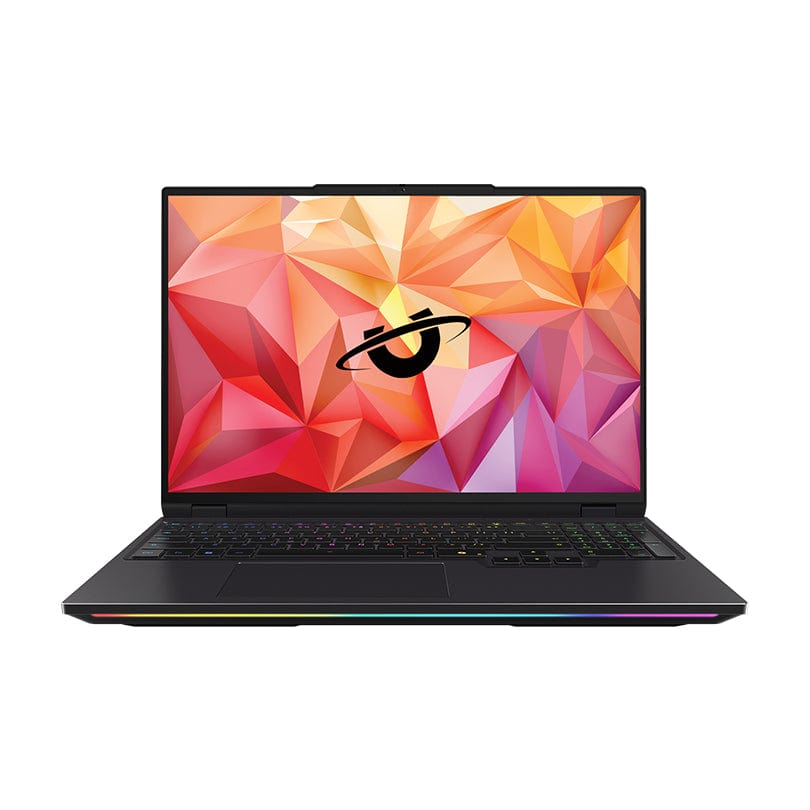
Utopia Mech 16 laptop, open at an angle with its backlit keyboard lit
  • 16" QHD+
  • Up to RTX 5090
  • Up to 96GB DDR5
  • Approx. 2.5kg

The Mech 16, opening

Mech 16 open and facing forward, with its keyboard and RGB light bar lit

Mech 16

Lift the lid.

What's insidematters.

Up to NVIDIA GeForce RTX 5090 laptop graphics and a 300Hz, 16 inch display.

Built, tested and supported in Scotland.

Every Mech 16 is configured by the Utopia team in Kilmarnock.

01 / The Mech 16

One machine.More places.

Most high performance PCs assume you're staying put.

The Mech 16 doesn't.

It puts serious CPU and NVIDIA GPU performance into a 16 inch aluminium chassis made to move between home, studio, office, university and everywhere in between.

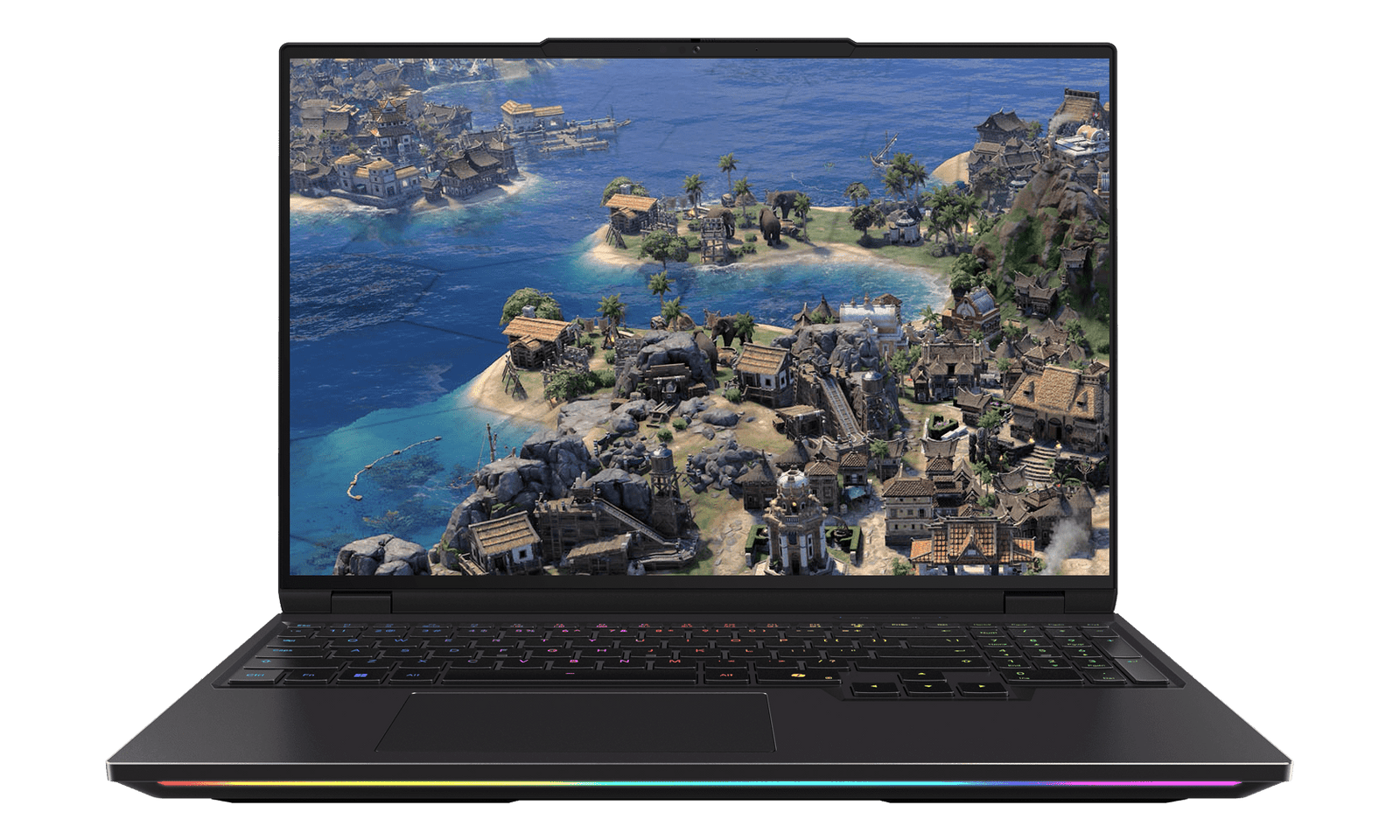
  • Mech 16 running a strategy game on its 16 inch display, keyboard backlight on

    Play

    High refresh gaming wherever you set up.

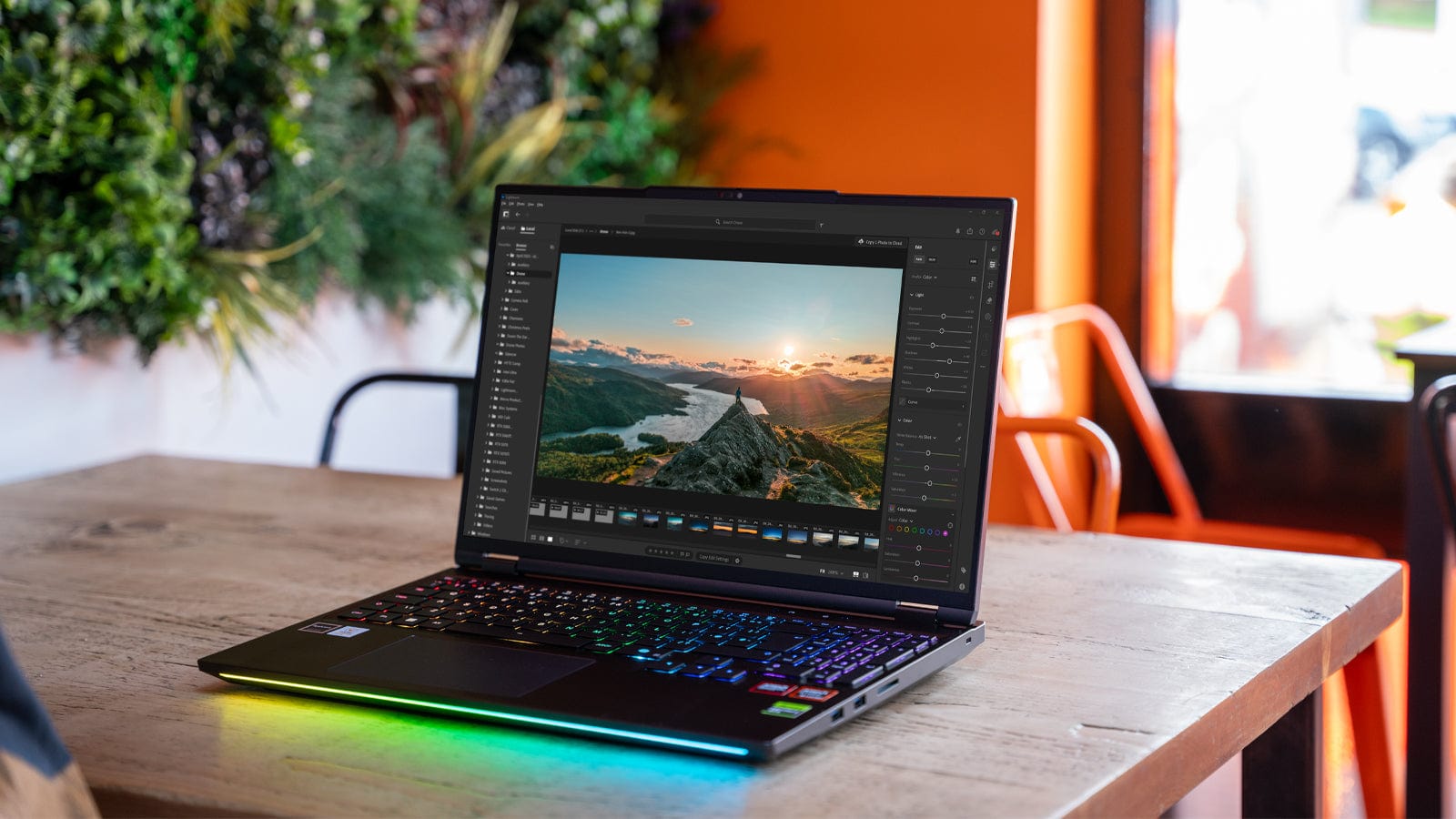
  • Mech 16 on a wooden desk in a studio, open in photo editing software

    Create

    Photos, video, 3D and GPU accelerated creative work.

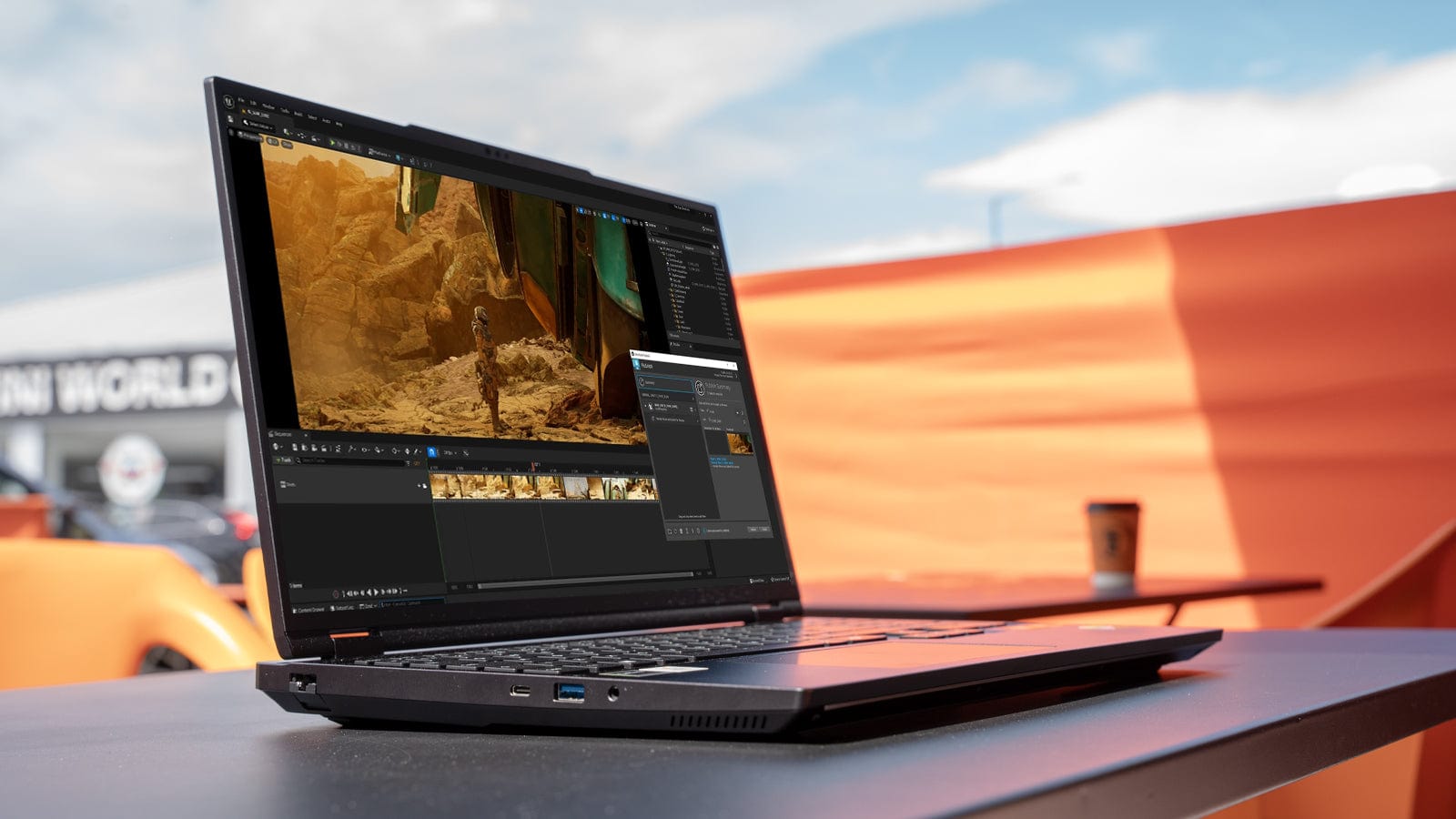
  • Mech 16 on a café table outdoors, editing video

    Work

    A genuinely powerful portable workstation when your desk changes from day to day.

02 / Performance

Laptop form.Serious hardware.

Four components decide what a Mech 16 can do. Here's what each one changes.

Processor

Ryzen 9 or Core Ultra 9

Two platforms, built differently.

The Mech 16 comes with an AMD or an Intel processor, and they aren't the same chip with different badges.

AMD's Ryzen 9 9955HX3D uses 3D V-Cache, extra cache stacked on the processor, which many games respond well to. Intel's Core Ultra 9 processors have more cores, split between performance and efficiency cores.

AMD Ryzen 9 9955HX3D
16 cores
Intel Core Ultra 9 270HX Plus
24 cores, with RTX 5070 Ti or RTX 5080
Intel Core Ultra 9 290HX plus
24 cores, with RTX 5090

On Intel, the processor follows the graphics card: the RTX 5090 model uses the Core Ultra 9 290HX Plus.
Graphics

Up to RTX 5090

NVIDIA GeForce RTX 50 Series laptop GPUs.

The graphics card has one of the biggest effects on what a Mech 16 can do: frame rates, render times, AI tools and GPU accelerated creative applications.

These are laptop GPUs. They share their names with NVIDIA's desktop cards, not their performance. Ask us how they compare for your work.

RTX 5070 Ti
12GB VRAM
RTX 5080
16GB VRAM
RTX 5090
24GB VRAM

Memory

Up to 96GB

DDR5, from 16GB.

More memory doesn't make everything faster. It stops large projects slowing down when they run out of room, so choose for the work you actually do.

16GB
Gaming and everyday use: web browsing, office work and lighter workloads.
32GB
Gaming and everyday creative work.
64GB
Heavy Adobe workloads, large projects and serious multitasking.
96GB
Advanced content creation, large datasets, virtual machines and memory intensive professional work.

16GB, 32GB and 64GB run at 5600MHz. The 96GB option runs at 4800MHz.

Storage

Two M.2 slots

NVMe, PCIe Gen5 and Gen4.

Speed and space. A PCIe Gen5 slot for Windows and the projects you're working on, and a second slot for your library, games or scratch space.

Slot one
PCIe Gen5 x4
Slot two
PCIe Gen4 x4
Largest drive
8TB PCIe 5.0, in slot one

03 / Choose your GPU

How much GPUdo you actually need?

Graphics is the biggest single decision in a Mech 16. Choose for the work you do, not the biggest number.

The sweet spot

RTX 5070 Ti

12GB VRAM

The sensible starting point. Strong QHD gaming on the Mech 16's own screen, and plenty for photography and everyday creative work, with balanced portable performance.

Ideal for

  • QHD gaming
  • Photography
  • Everyday video editing
  • General creative work
  • Balanced portable performance

More headroom

RTX 5080

16GB VRAM

Extra headroom for demanding games, high resolution video, 3D and GPU accelerated work. The additional VRAM gives larger scenes, textures and timelines more room.

Ideal for

  • Demanding gaming
  • High resolution video
  • 3D workflows
  • GPU rendering
  • Heavier creative work

The most GPU in the Mech 16

RTX 5090

24GB VRAM

For people who genuinely need the extra capacity: demanding GPU rendering, advanced 3D and AI experimentation, where 24GB of VRAM lets larger scenes and models stay on the GPU. If your work doesn't need it, a 5080 may suit you just as well.

Ideal for

  • Demanding GPU render workloads
  • Advanced 3D
  • AI experimentation
  • The highest gaming performance the Mech 16 offers
  • As much GPU capacity as the chassis allows

These are laptop GPUs. They share their names with NVIDIA's desktop cards but run within a laptop's power and cooling limits, so they don't perform the same as their desktop namesakes.

04 / Display

Fast enough for games.Accurate enough to create.

A taller 16:10 workspace gives games, timelines, Lightroom panels and everyday work more room to breathe.

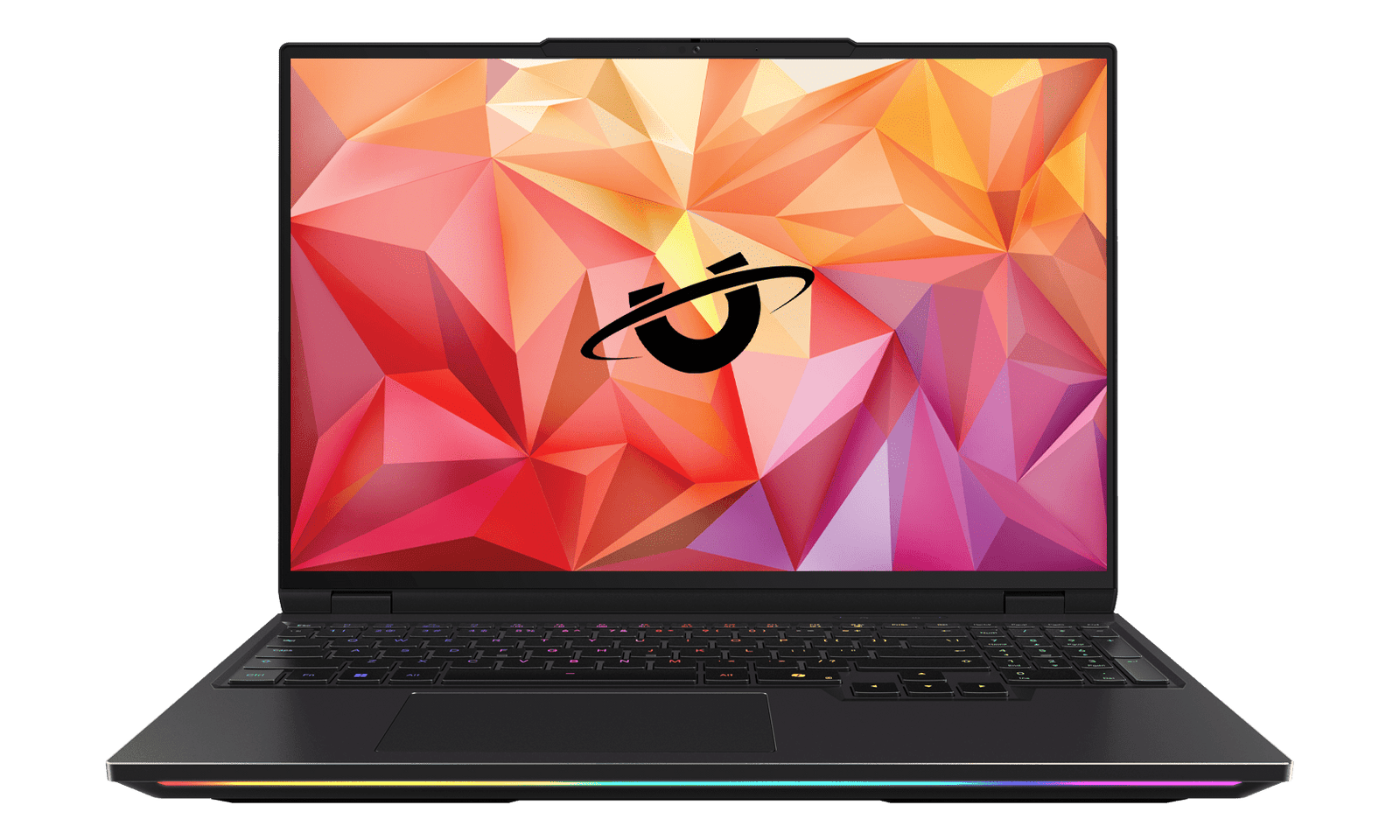
Mech 16 facing forward with its 16 inch screen lit
Screen size
16"
Resolution
2560 × 1600
Refresh rate
300Hz
Aspect ratio
16:10

Both panels run at 300Hz on the same 2560 x 1600 resolution. Choose LED for a bright, accurate everyday screen, or Mini LED for far higher brightness and the wider DCI-P3 colour space used in video and film work.

Two panel options

  • Panel option

    300Hz LED

    • 500 nits
    • 100% sRGB
    • Matte finish

    Offered on AMD and Intel models.

  • Panel option

    300Hz Mini LED

    • 1250 nits
    • 100% DCI-P3

    Offered on AMD and Intel models.

05 / Thermals

Performance is easy.Keeping it is harder.

Putting a fast processor and graphics card into a laptop is the easy part. Keeping them fast through an hour of rendering or an evening of gaming is harder.

Every high performance chip slows itself down when it gets too hot. How long a laptop holds its performance depends on how well its cooling moves heat out, not only on the parts inside.

  1. Heat is made

    The processor and graphics card turn power into heat, most of all under sustained load.

  2. Heat is moved

    The cooling system carries it away from both chips.

  3. Heat leaves

    Fans push it out of the chassis, so the hardware can keep its speed.

06 / Built to move

Built to travel.Approx. 2.5kg.

Performance this serious usually wants a tower, a monitor and a permanent desk.

The Mech 16 puts it into an aluminium chassis that fits in a backpack. It isn't an ultralight, and it doesn't pretend to be. It's remarkably portable for the amount of hardware you're carrying.

Width
357mm
Depth
245mm
Thickness, AMD chassis
26.6mm
Thickness, Intel 275HX chassis
28mm
Weight, approx.
2.5kg
Battery
99Wh

Width and depth are shared by the AMD chassis and the Intel Core Ultra chassis.

Battery life depends heavily on what you're doing. Gaming or rendering at full performance draws far more power than writing or browsing, so plan to plug in for demanding work.

07 / Ports

Connect withoutthe dongle collection.

Monitors, drives, Ethernet and audio plug straight in. The AMD and Intel versions differ in a few places, shown below.

Mech 16 connectivity, AMD and Intel compared
AMDIntel
External displaysHDMI and Mini DisplayPort HDMI, plus display output over USB-C
USB devicesBoth3 × USB-A (USB 3.2 Gen 2) and 2 × USB-C
NetworkingEthernet, plus Wi-Fi 6E Ethernet, plus Wi-Fi 6E or Killer Wi-Fi 7
AudioBothWired audio, plus 2 × 2W stereo speakers
Also built inBothSD card reader and a Windows Hello webcam
Every AMD port
  • HDMI
  • Mini DisplayPort
  • 3 × USB-A (USB 3.2 Gen 2)
  • 2 × USB-C
  • Ethernet
  • Audio
  • SD card reader
  • IR + FHD webcam with Windows Hello
Every Intel port
  • HDMI
  • 3 × USB-A (USB 3.2 Gen 2)
  • USB-C
  • USB-C with display output
  • Ethernet
  • Audio
  • SD card reader
  • IR + FHD webcam with Windows Hello

08 / Your Mech 16

Pick your route.

Build it around the way you work, or let us make the decisions for you.

AMD Ryzen

Mech 16 AMD

Gaming first.

AMD's Ryzen 9 9955HX3D, with 3D V-Cache that many games respond well to.

  • Ryzen 9 9955HX3D, 16 cores
  • HDMI and native Mini DisplayPort
  • RTX 5070 Ti, RTX 5080 or RTX 5090

From £2,066 inc. VAT

Configure AMD

Intel Core Ultra

Mech 16 Intel

Connectivity and versatility.

Intel Core Ultra 9 with 24 cores, and the option of Killer Wi-Fi 7.

  • Core Ultra 9 270HX Plus or 290HX Plus, 24 cores
  • HDMI, plus display output over USB-C
  • Wi-Fi 6E or Killer Wi-Fi 7
  • RTX 5070 Ti, RTX 5080 or RTX 5090

From £2,071 inc. VAT

Configure Intel
The Mech 16 QuickBuy laptop

QuickBuy

We've made the decisions.

A balanced specification chosen by Utopia, for when you want a Mech 16 without spending twenty minutes configuring it.

  • AMD Ryzen 9 9955HX3D
  • NVIDIA GeForce RTX 5080 16GB
  • 32GB DDR5 5600MHz
  • 1TB Gen4 NVMe SSD
  • 16" Mini LED QHD+ 300Hz

£2,967 inc. VAT

Buy QuickBuy

Not sure?

Talk to Utopia. We'll help you choose the right spec for what you do.

09 / FAQ

Questions beforeyou build?

The Mech 16 can be configured in quite a few ways. Here are the questions we're asked most often.

Is the Mech 16 a gaming laptop or a workstation?

Both, depending on how you configure it.

The Mech 16 combines high performance Ryzen 9 or Intel Core Ultra 9 processors with NVIDIA GeForce RTX 50 Series laptop graphics.

That makes it well suited to high refresh gaming, but the same hardware is also useful for photography, video editing, 3D work, development and GPU accelerated applications.

If your priority is professional software rather than gaming, tell us what you use and we'll help you choose the right specification.

Which is better for the Mech 16, AMD or Intel?

Neither is automatically better. They're suited to slightly different priorities.

The AMD Mech 16 uses the Ryzen 9 9955HX3D, including AMD's 3D V-Cache technology, making it a particularly interesting option for gaming focused systems.

The Intel models use Core Ultra 7 and Ultra 9 processors and may make more sense where connectivity, docking or particular professional workflows are a priority.

If you're not sure, tell us what you'll actually use the laptop for. We'll recommend the platform rather than simply the more expensive option.

Which graphics card should I choose?

For most buyers, the RTX 5070 Ti is a strong starting point for gaming on the Mech 16's own QHD+ display and everyday creative work.

The RTX 5080 gives you more GPU performance and 16GB of VRAM, making it attractive for heavier gaming, video, 3D and GPU accelerated workloads.

The RTX 5090 increases this again with 24GB of VRAM and is best considered where your games, creative applications, AI tools or professional workloads can genuinely make use of it.

Bigger isn't automatically better for everyone. We'll happily help you choose.

Is an RTX 5090 laptop the same as a desktop RTX 5090?

No.

NVIDIA uses the same family names across desktop and laptop graphics, but laptop GPUs operate within very different power and thermal limits.

An RTX 5090 Laptop GPU should therefore not be expected to perform like a desktop RTX 5090.

When comparing systems, make sure you're comparing laptop graphics with laptop graphics rather than relying on the name alone.

How much RAM do I need?

16GB is suitable for gaming, everyday use and lighter workloads.

32GB gives more breathing room for gaming alongside other applications and is a good choice for many creative users.

64GB becomes useful for heavier Adobe projects, large files, serious multitasking and professional workflows.

96GB is intended for particularly demanding workloads such as large datasets, virtual machines and memory intensive creation work.

More RAM doesn't automatically make a laptop faster. The goal is simply to have enough for the work you're doing.

Can I upgrade the RAM and SSDs later?

The Mech 16 uses upgradeable memory and has two M.2 NVMe storage slots.

That gives you considerably more flexibility than many thin laptops with soldered storage or memory.

If you'd rather not open the machine yourself, Utopia can also advise on or carry out future upgrades.

How much storage can I configure?

The Mech 16 has two M.2 NVMe SSD slots.

The primary slot supports PCIe Gen5 storage and the second supports PCIe Gen4.

This means you can use one fast system drive and a second SSD for games, projects, media or scratch storage.

The configurator always shows the exact drive capacities currently available to order.

What screen does the Mech 16 use?

The Mech 16 uses a 16 inch QHD+ display with a high refresh rate.

Depending on configuration, display options include a high brightness LED panel or a Mini LED option with wider colour coverage and substantially higher peak brightness.

The standard LED option is a strong choice for gaming and everyday use.

The Mini LED panel is particularly appealing for bright, high contrast content and colour sensitive creative work.

Is the Mech 16 good for photo and video editing?

Yes.

Its combination of high performance processors, NVIDIA RTX graphics, high resolution display options and upgradeable memory makes it well suited to applications such as Adobe Lightroom, Photoshop and Premiere Pro.

Your ideal configuration depends much more on the size and complexity of your projects than on the software name alone.

If you're buying it primarily for creative work, tell us what applications, camera formats and project sizes you use and we can help specify it properly.

Is the Mech 16 suitable for university or travelling?

It can be, particularly if you need serious performance away from a permanent desk.

At approximately 2.5kg, the Mech 16 isn't trying to compete with an ultraportable laptop. Its priority is fitting significantly more performance into something you can still move between home, university, the office, a studio or a client site.

If your main priority is the lightest possible laptop, it may not be the right machine.

If your priority is taking high end PC performance with you, that's where the Mech 16 makes more sense.

Can I use the Mech 16 with external monitors and a desk setup?

Yes.

The Mech 16 is designed to work as both a portable machine and part of a permanent desk setup.

Available display and connectivity options depend slightly on whether you choose the AMD or Intel platform, so if you're planning a multi monitor setup, dock or particular collection of peripherals, speak to us before ordering and we'll check the best configuration.

How long will the battery last?

Battery life depends heavily on what you're doing.

Gaming, rendering and other demanding GPU workloads consume considerably more power than web browsing, documents or video playback.

The Mech 16 is a high performance laptop first, so we wouldn't recommend choosing it primarily for all day unplugged battery life.

For maximum CPU and GPU performance, demanding workloads are generally best run while connected to mains power.

Can I game at full performance on battery power?

You can game on battery, but you shouldn't expect the same performance as when the laptop is connected to mains power.

High performance laptop CPUs and GPUs require considerably more power under load than a battery can continuously provide while maintaining maximum performance.

For demanding games, rendering and GPU workloads, plug the Mech 16 into its power supply.

Is the Mech 16 quiet?

That depends on the workload.

During light everyday use, the cooling system has far less heat to remove.

During demanding gaming, rendering or sustained CPU and GPU workloads, fan speed and therefore noise will increase.

That's normal behaviour for a high performance laptop.

We would rather describe this honestly than promise that powerful hardware becomes silent under full load.

Does Utopia build the Mech 16 in Scotland?

Yes.

Each Mech 16 is configured, built, tested and supported by the Utopia team in Kilmarnock, Scotland.

We don't simply ship a sealed specification from a warehouse.

The configuration is selected, prepared and tested as part of the same Utopia build process used across our performance systems.

What warranty and support do I get?

The Mech 16 is backed by Utopia rather than leaving you to deal with a collection of individual component manufacturers.

It comes with 21 months parts cover, a 10 year labour warranty and lifetime technical support from our team in Kilmarnock.

See our full warranty terms.

What if I don't know which specification to choose?

That's completely normal.

You don't need to understand every processor, GPU, memory speed or SSD generation before buying a Mech 16.

Tell us what you use, what you play, what screen or external monitors you'll connect and what you'd like to spend.

We'll help you build around that.

Alternatively, choose QuickBuy if you'd rather let Utopia make the main specification decisions for you.

Still not sure?

Tell us what you're trying to do.

We'll help you choose the Mech 16 configuration that actually makes sense.

template:page.Mech16Landing